
Appearance
Installation
This guide takes a fresh Ubuntu server to a running exchange: web app, database, queues, real-time prices, charts and blockchain bridges. Follow the steps in order. Each one ends with a quick check, so you know it worked before you move on.
Web applicationLaravel 12 on PHP 8.2+ behind Nginx, with PostgreSQL and Redis.
Background servicesHorizon queues, the scheduler, Soketi WebSockets and the chart service.
Blockchain bridgesNode.js services for Ethereum, BNB, Tron, Polygon, Solana and TON.
Before you start
Check the server requirements first. You need root (sudo) access, a domain pointed at the server, and a second DNS record, socket.yourdomain.com, for real-time prices.
Throughout this guide, replace yourdomain.com with your domain and /var/www/exchange with the folder you install into.
Prepare the server
Install the system packages the platform runs on. These commands are for Ubuntu 22.04 or 24.04.
bash
sudo add-apt-repository -y ppa:ondrej/php
sudo apt update
sudo apt install -y php8.3-fpm php8.3-cli php8.3-pgsql php8.3-redis \
  php8.3-bcmath php8.3-gmp php8.3-mbstring php8.3-curl php8.3-xml \
  php8.3-intl php8.3-zip php8.3-gd unzip git
bash
sudo apt install -y nginx postgresql redis-server
sudo systemctl enable --now nginx postgresql redis-server
bash
curl -sS https://getcomposer.org/installer | php
sudo mv composer.phar /usr/local/bin/composer
bash
curl -fsSL https://deb.nodesource.com/setup_20.x | sudo -E bash -
sudo apt install -y nodejs
sudo npm install -g pm2 @soketi/soketi
Why these extensions? The platform's dependencies require bcmath, gmp, mbstring, curl, xml, sodium, pcntl and posix (most ship with PHP). pgsql connects to the database, and redis enables the fast phpredis client (the bundled predis client also works, set with REDIS_CLIENT). Horizon needs pcntl and posix to manage its workers.
Check it worked
bash
php -v            # PHP 8.2 or newer (8.3 recommended)
php -m | grep -E 'bcmath|gmp|pgsql|redis|pcntl'
composer -V       # Composer 2.x
node -v           # v20.x
redis-cli ping    # PONG
Get the code
Put the platform files in your web folder and give the web server user ownership.
bash
sudo mkdir -p /var/www/exchange
sudo chown -R $USER:www-data /var/www/exchange
cd /var/www/exchange

# Either clone your private repository…
git clone [email protected]:your-company/exchange.git .
# …or upload and unzip the release archive you received
Install PHP dependencies
bash
cd /var/www/exchange
composer install --optimize-autoloader
--optimize-autoloader makes class loading faster in production.
Don't add --no-dev
The platform registers a developer package (Debugbar) in config/app.php. With --no-dev it isn't installed, and every page fails with a "class not found" error. Keep DEBUGBAR_ENABLED=false so the debug bar stays hidden.
Create the database
Create a PostgreSQL database and a user that owns it. Use a long random password.
bash
sudo -u postgres psql <<'SQL'
CREATE USER exchange WITH PASSWORD 'change-me-to-a-long-random-password';
CREATE DATABASE exchange OWNER exchange;
SQL
Configure the environment
The platform reads its configuration from a .env file in the project root. Start from the example and generate the encryption key:
bash
cp .env.example .env
php artisan key:generate
Then open .env and set at least these values:
ini
APP_NAME="Your Exchange"
APP_ENV=production
APP_DEBUG=false
APP_URL=https://yourdomain.com
SANCTUM_STATEFUL_DOMAINS=yourdomain.com

DB_CONNECTION=pgsql
DB_HOST=127.0.0.1
DB_PORT=5432
DB_DATABASE=exchange
DB_USERNAME=exchange
DB_PASSWORD=change-me-to-a-long-random-password

CACHE_DRIVER=redis
SESSION_DRIVER=redis
QUEUE_CONNECTION=redis
BROADCAST_DRIVER=pusher
REDIS_CLIENT=phpredis
Change the session and cache drivers
.env.example ships with SESSION_DRIVER=array and CACHE_DRIVER=array, which keep nothing between requests. Nobody could stay logged in. Always switch both to redis (or database / file) on a real server.
Keep APP_DEBUG off
APP_DEBUG=true shows full error details, including configuration values, to anyone who triggers an error. Use it only on a private test server.
The real-time and chart settings are covered in Start real-time prices below. Every variable is listed in the environment reference.
Run migrations and seed data
Create the tables, then load the starter data:
bash
php artisan migrate --force
php artisan db:seed --force
db:seed runs the platform's main seeder, which loads:
| Seeder | What it adds |
|---|---|
CoinTypeSeeder | Coin types used by currencies |
RolesSeeder | Roles and permissions, including superadmin |
CountriesSeeder | Country list for sign-up and KYC |
LanguageSeeder | English plus 10 translated languages |
DefaultSettingSeeder | Default platform settings |
PagesSeeder | Starter CMS pages (terms, privacy and so on) |
DerivNetworkSeeder, PayeerNetworkSeeder | Payment networks |
StakingLaunchpadSeeder | Demo staking products and token sales |
Demo products
StakingLaunchpadSeeder creates sample staking plans and launchpad sales so those pages aren't empty. Edit or delete them in Admin → Staking and Admin → Launchpads before you go live.
Run a single seeder
The seeders live in sub-folders, so pass the full class name:
bash
php artisan db:seed --class="Database\Seeders\Language\LanguageSeeder" --forceLink storage and set permissions
Uploaded files (logos, coin icons, KYC documents) are served from storage/app/public through a public/storage link:
bash
php artisan storage:link
sudo chown -R www-data:www-data storage bootstrap/cache
sudo chmod -R 775 storage bootstrap/cache
Build the front-end
The platform builds two bundles: one for visitors and one for administrators. Each has its own list of routes. Install the Node packages, then build both:
bash
npm ci

# Visitor bundle
sed -i '/^USER_ASSETS=/s/=.*/="true"/' .env
php artisan ziggy:generate
npm run user

# Admin bundle
sed -i '/^USER_ASSETS=/s/=.*/="false"/' .env
php artisan ziggy:generate resources/js/ziggy_alternative.js
npm run production

# Tell browsers to download the new files
sed -i '/^USER_ASSETS_HASH=/s/=.*/="'$(date +%s)'"/' .env
About compile.sh
The project includes compile.sh, which runs the same build. It also runs composer install and php artisan migrate without --force, which asks for confirmation in production. For a production server, use the commands above, or add --force to the migrate line in the script.
Configure Nginx
Create /etc/nginx/sites-available/exchange with two sites: the exchange itself, and socket.yourdomain.com for real-time prices.
nginx
server {
    listen 80;
    server_name yourdomain.com;
    root /var/www/exchange/public;
    index index.php;
    client_max_body_size 80M;

    # Compress text: the main script is about 3.6 MB, under 1 MB compressed
    gzip on;
    gzip_vary on;
    gzip_proxied any;
    gzip_comp_level 5;
    gzip_min_length 1024;
    gzip_types text/css application/javascript application/json image/svg+xml text/plain application/xml;

    # Build files: their address changes with every build (?v=...), so browsers keep them for a year
    location ~* ^/(frontend|alternative|js)/.+\.(js|css)$ {
        expires 1y;
        add_header Cache-Control "public, immutable";
        access_log off;
        try_files $uri =404;
    }

    # Fonts and images
    location ~* \.(woff2?|ttf|otf|eot|svg|png|jpe?g|gif|webp|ico)$ {
        expires 30d;
        access_log off;
        try_files $uri /index.php?$query_string;
    }

    # TradingView chart data service (port 8081)
    location /chart.io {
        proxy_pass http://127.0.0.1:8081;
        proxy_http_version 1.1;
        proxy_set_header Upgrade $http_upgrade;
        proxy_set_header Connection 'upgrade';
        proxy_set_header Host $host;
    }

    location / {
        try_files $uri $uri/ /index.php?$query_string;
    }

    location ~ \.php$ {
        fastcgi_pass unix:/var/run/php/php8.3-fpm.sock;
        fastcgi_param SCRIPT_FILENAME $realpath_root$fastcgi_script_name;
        include fastcgi_params;
    }

    location ~ /\.(?!well-known) { deny all; }
}

# Real-time prices (Soketi WebSocket server, port 6001)
server {
    listen 80;
    server_name socket.yourdomain.com;

    location / {
        proxy_pass http://127.0.0.1:6001;
        proxy_http_version 1.1;
        proxy_set_header Upgrade $http_upgrade;
        proxy_set_header Connection 'upgrade';
        proxy_set_header Host $host;
        proxy_read_timeout 120s;
    }
}
Enable it and reload:
bash
sudo ln -s /etc/nginx/sites-available/exchange /etc/nginx/sites-enabled/
sudo nginx -t && sudo systemctl reload nginx
Turn on HTTPS
Get free certificates for both names with Let's Encrypt. Certbot updates the Nginx config and renews automatically.
bash
sudo apt install -y certbot python3-certbot-nginx
sudo certbot --nginx -d yourdomain.com -d socket.yourdomain.com
Prepare PM2 for the web server user
The platform runs its background processes with PM2, and it manages several of them itself (see the next step). For that to work, every PM2 process must belong to one user and one PM2 home: the web server user (www-data) with the home set by PM_PATH.
1. Set the PM2 options in .env (these are the defaults):
ini
PM_PATH=/var/www                          # PM2 keeps its state in $PM_PATH/.pm2
PM_PHP_PATH=/usr/bin/php                  # PHP binary used to run artisan commands
PM_USR_PATH=/usr/local/bin:/usr/bin:/bin  # where the pm2 command can be found
PM_SERVICE_WATCHER_ENABLED=true           # keep the core processes running
PM_MARKET_WATCHER_ENABLED=true            # keep the per-market liquidity bots running
Check the paths with which php and which pm2.
2. Give the web server user a PM2 home:
bash
sudo mkdir -p /var/www/.pm2
sudo chown -R www-data:www-data /var/www/.pm2
3. Use one command for all PM2 work. Every pm2 command in this guide runs as www-data with that home:
bash
alias pm2w='sudo -u www-data HOME=/var/www pm2'
pm2w status
Don't start processes with your own user
If you run plain pm2 start … as root or your own user, those processes live in a different PM2 home. The platform can't see them, the admin Market services page shows them as stopped, and the watcher starts a second copy.
Start the scheduler
One cron entry runs everything that happens on a timer: deposit detection, wallet balance syncs, pending transfers, staking rewards, futures funding fees, the chart cache, the market mini-charts, and the process watchers.
bash
sudo crontab -u www-data -etxt
* * * * * cd /var/www/exchange && php artisan schedule:run >> /dev/null 2>&1Run php artisan schedule:list to see every task and when it runs next.
Core processes start automatically
All background services are defined once in config/pm.php. Within a minute of the first scheduler run, the pm:watcher task writes them to the PM2 file storage/app/pm2/ecosystem.json and starts them:
| PM2 name | Process | Does |
|---|---|---|
horizon | Queue system | Runs background jobs: order-book and wallet updates, emails, webhooks |
soket | WebSocket server | Soketi, see Start real-time prices |
chart | Chart data server | TradingView chart history, see Start the chart service |
market-watcher | Market price tracker | Keeps market prices and 24h statistics up to date, and pushes them live to browsers |
order-processor | Spot order processor | Fills resting spot orders when the liquidity provider's price moves through them (new orders match when placed) |
stop-trigger | Stop order trigger | Places stop-limit and OCO stop orders, trailing stops and TP/SL orders as soon as a trade or price move reaches the trigger |
trading-bots | Trading bots | Runs users' Spot Grid and DCA bots: places their next orders after fills, take-profit / stop-loss |
liquidity-binance | Provider liquidity | One Binance connection for the book and trades of every provider-backed market |
liquidity-custom | Custom-token liquidity | The simulated book and trades of every custom-token market |
futures-mark-price | Futures mark price | Updates the index and mark prices every second (plan 5) |
futures-processor | Futures liquidation tracker | Liquidates futures positions at the mark price (plan 5) |
futures-limit-processor | Futures limit order tracker | Fills futures limit orders (plan 5) |
futures-tpsl-process | Take profit & stop loss tracker | Triggers TP/SL orders (plan 5) |
peer-order-processor | P2P order processor | Cancels P2P orders that pass their payment time limit (plan 5) |
options-processor | Binary option tracker | Settles binary options (plan 5) |
Processes marked (plan 5) only run when APP_PLAN=5.
How they are kept healthy:
- PM2 restarts a crashed process (backing off up to 15 seconds in a crash loop) and restarts one that passes its memory limit. A stop gives a worker 15 seconds to finish its current pass (
PM_KILL_TIMEOUT). - Heartbeats. Each worker records a heartbeat after every pass.
pm:watcherrestarts a worker that is online but stopped beating (stuck), at most once every 5 minutes, and notifies superadmins. - Your choices stick. A service stopped in Admin → Market services stays off;
pm:watcherdoesn't bring it back. - Workers restart themselves once an hour, so new code is picked up without a manual restart.
To start everything at once without waiting for the scheduler (and to make PM2 bring it back after a reboot):
bash
php artisan pm:ecosystem
pm2w start storage/app/pm2/ecosystem.json
pm2w save
php artisan pm:watcher --dry-run prints what the watcher would change without doing it.
Many markets
The provider liquidity runner handles all markets in one process. With a large number of markets, set PM_LIQUIDITY_SHARDS=2 (or more) to split them over several processes. The old layout with one process per market is still available with PM_LIQUIDITY_MODE=per-market.
Horizon worker groups
Horizon starts these worker groups (from config/horizon.php):
| Supervisor | Queues | Max processes |
|---|---|---|
| supervisor-events | events (live wallet and notification updates) | 3 |
| supervisor-1 | default | 10 |
| supervisor-2 | orderbook | 10 |
| supervisor-3 | market | 10 |
| supervisor-4 | merchant-webhooks | 10 |
| supervisor-orders | orders | 10 |
| supervisor-low | low | 3 |
Start real-time prices
Live prices, order books and the connection indicator use Soketi, a self-hosted, Pusher-compatible WebSocket server.
1. Choose app credentials. Pick an ID, key and secret (any random strings), then put them in socket-config.json in the project root:
json
{
    "debug": false,
    "port": 6001,
    "appManager.array.apps": [
        { "id": "my-app-id", "key": "my-app-key", "secret": "my-app-secret" }
    ]
}
2. Use the same values in .env. The browser connects through socket.yourdomain.com on port 443:
ini
PUSHER_APP_ID=my-app-id
PUSHER_APP_KEY=my-app-key
PUSHER_APP_SECRET=my-app-secret
PUSHER_HOST="socket.yourdomain.com"
PUSHER_PORT=443
PUSHER_SCHEME=https
The MIX_PUSHER_* lines in .env copy these values into the front-end. Rebuild the front-end after changing them (see Build the front-end).
3. Start Soketi. The scheduler's pm:watcher starts it as the PM2 process soket (from config/pm.php). To start it right away:
bash
cd /var/www/exchange
php artisan pm:ecosystem
pm2w start storage/app/pm2/ecosystem.json --only soket
Its health is checked on Soketi's own port from socket-config.json (/ready); a Soketi that stops answering is restarted.
Check it worked
Open any trade page. The bar at the bottom shows a green Stable connection when the browser is connected to Soketi.
Start the chart service
The TradingView charts get their candles from a small Node.js service in chart-udf/. It listens on port 8081 (TRADINGVIEW_CHART_PORT), and Nginx serves it at /chart.io.
bash
cd /var/www/exchange/chart-udf && npm ci && cd ..The scheduler's pm:watcher then starts it as the PM2 process chart, or start it at once with pm2w start storage/app/pm2/ecosystem.json --only chart (after php artisan pm:ecosystem).
Start the blockchain bridges
Each supported network has its own bridge service in bridges/. The bridges handle deposit addresses, deposit detection and withdrawals, and they read the platform's main .env file (no separate configuration needed).
bash
cd /var/www/exchange/bridges && npm install
for network in ethereum bnb tron polygon solana ton; do
  (cd $network && npm install)
done
Start only the networks you offer:
bash
pm2w start ethereum/app.js --name bridge-ethereum
pm2w start bnb/app.js      --name bridge-bnb
pm2w start tron/app.js     --name bridge-tron
pm2w start polygon/app.js  --name bridge-polygon
pm2w start solana/app.js   --name bridge-solana
pm2w start ton/app.js --name bridge-ton| Bridge | Port |
|---|---|
| Ethereum | 8000 |
| BNB Smart Chain | 8001 |
| Tron | 8002 |
| Polygon | 8003 |
| Solana | 8006 |
| TON | 8007 (or APP_TON_PORT) |
Don't use npm run install:all
The bridges' install:all script also tries to install a custom-evm-token-node folder that isn't included, so it stops with an error at the end. Use the loop above instead.
Finally, save the process list and make PM2 start on boot for www-data:
bash
pm2w save
sudo env PATH=$PATH pm2 startup systemd -u www-data --hp /var/www
Create your admin account
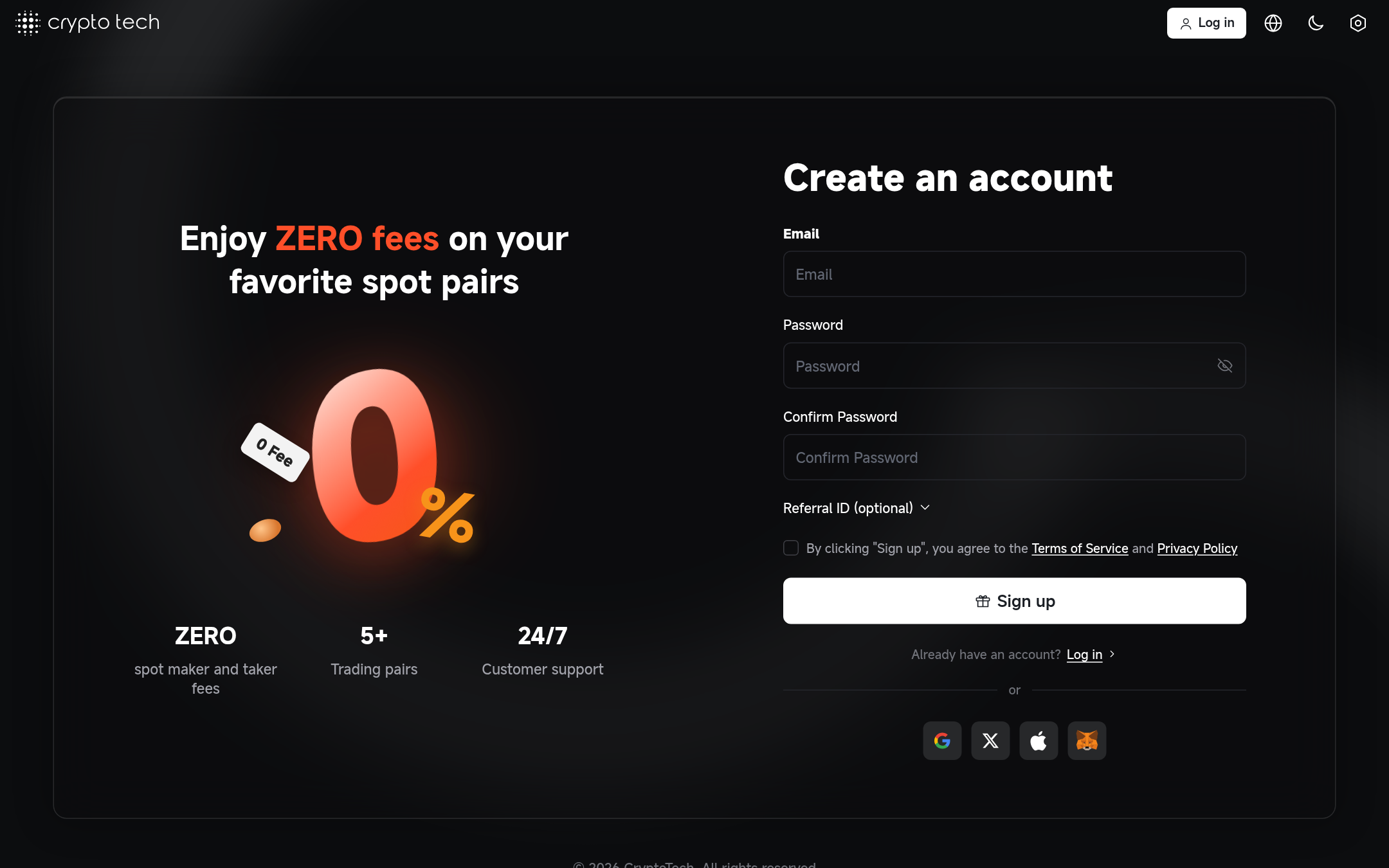
Open https://yourdomain.com/register and sign up. The first account registered on a new installation automatically receives every role, including superadmin. Every account after that is a normal user.
Register immediately
Until the first account exists, whoever registers first becomes the administrator. Create your account as soon as the site is reachable.
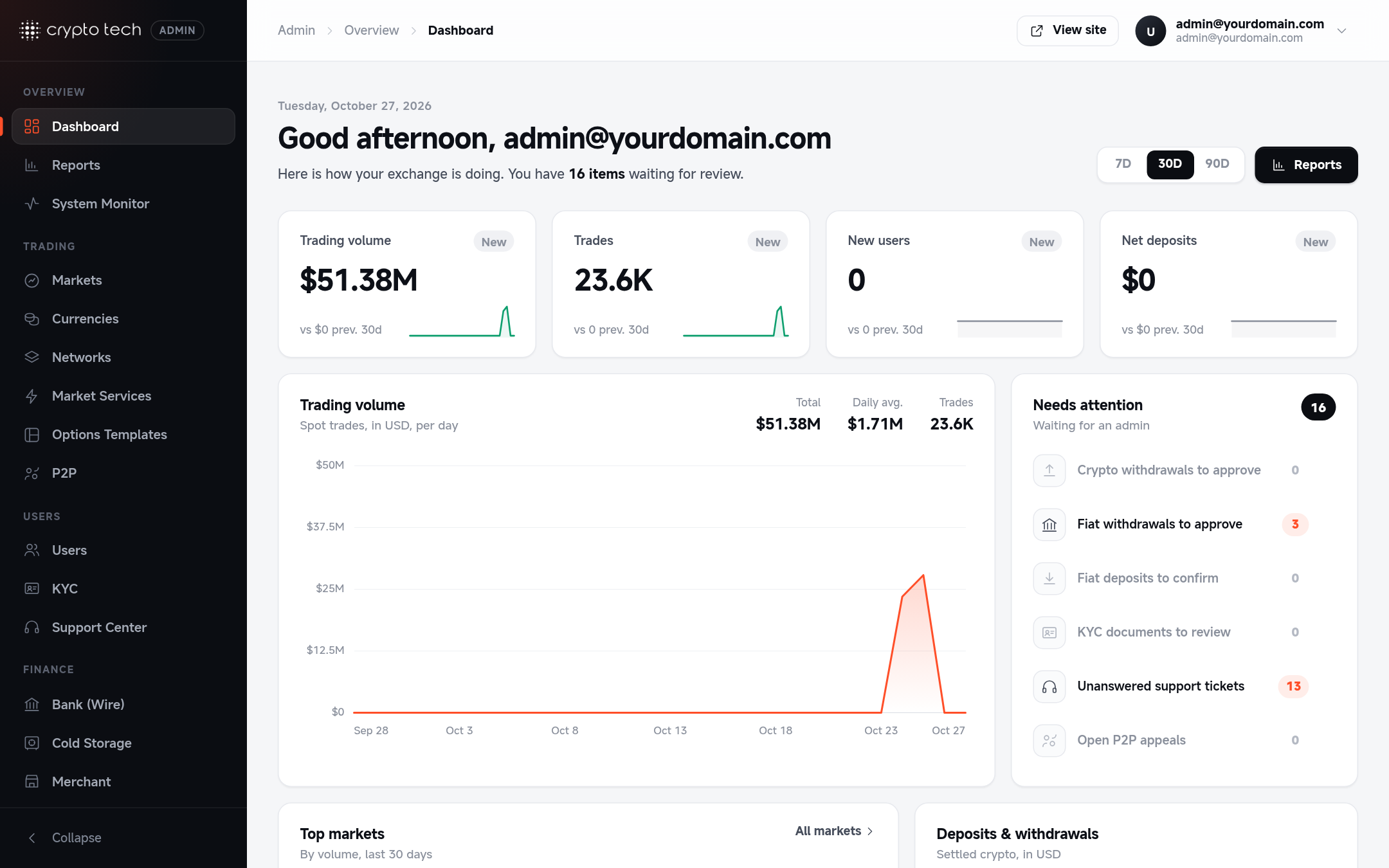
Then open the admin panel at https://yourdomain.com/exchange-control-panel. The dashboard shows volume, users, deposits and withdrawals.
The admin address
The admin panel always lives at /exchange-control-panel (set in routes/admin.php). Only accounts with the admin role can open it. The admin sign-in page is /exchange-control-panel/admin-login.
Check everything is running
| Check | Command or place | Expected |
|---|---|---|
| Background processes | pm2w status | horizon, order-processor, market-watcher, trading-bots, soket, chart and your bridges are online |
| Process overview | Admin → Market services | Core services show as running |
| Queues | php artisan horizon:status | Horizon is running |
| Scheduler | php artisan schedule:list | A list of tasks with next run times |
| Real-time | Any trade page, bottom bar | Stable connection in green |
| Charts | Any trade page, Chart tab | Candles load |
| Health overview | Admin → System Monitor | Services report healthy |