
Appearance
Settings
Settings control the whole platform: your brand, features, fees, notifications, email delivery, integrations and the hot wallets that pay out withdrawals. Only the superadmin role can open this area.
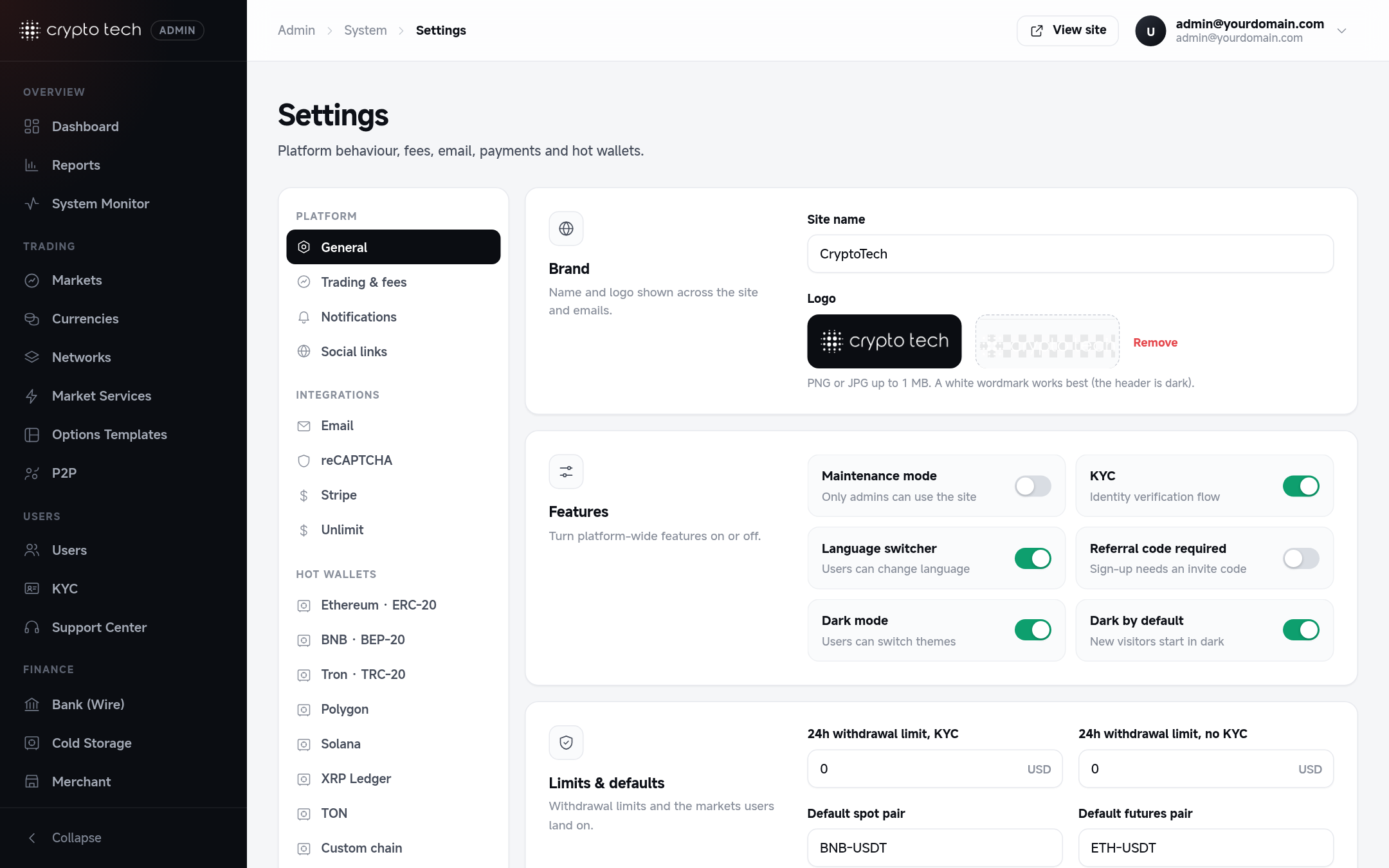
Where to find it
Admin panel → System → Settings. The page has a section menu on the left, grouped like this:
GeneralSite name, logo, maintenance, KYC, themes, withdrawal limits, default markets.OpenTrading & feesPause trading, transfer fee, options payout.OpenNotificationsWhich events email your team, and where.OpenSocial linksThe social icons in the site footer.OpenEmailSender name and address, SMTP or the Mailgun API.OpenCaptchaCloudflare Turnstile on sign-up, login, password reset and support.OpenStripeCard payments for fiat deposits.OpenUnlimitThe Buy Crypto card on-ramp.OpenHot walletsThe wallet on each network that sends withdrawals.Open
The section you are on is kept in the address (for example …/settings#trade), so reloading the page or sharing the link opens the same section.
How saving works
- Each section has its own save bar. It appears at the bottom as soon as you change something in that section, with Save and Discard.
- Only the section you are on is saved. Changes in other sections are kept separately until you save or discard them.
- Every save restarts the queue workers (Horizon), so background jobs pick up the new values within a few seconds.
Secrets are never shown again
Private keys, API secrets, passwords and access keys are replaced with •••••••••••••••••••• before the page is sent to your browser. To keep the stored value, leave the field as it is. To change it, type the new value.
Settings stored in the .env file
Most settings are stored in the database. These are written into the .env file in the project folder instead, because the framework reads them from there:
| Section | Fields written to .env |
|---|---|
| General | Site name (APP_NAME) |
Sender name and address, host, port, username, password, encryption, transport (MAIL_*), Mailgun domain, key and region (MAILGUN_*) | |
| Captcha | Turnstile site key and secret key (TURNSTILE_SITE_KEY, TURNSTILE_SECRET_KEY) |
| Unlimit | API base URL, partner account ID, access key, secret key (UNLIMIT_*) |
This has three consequences:
The .env file must be writable
The web server user (usually www-data) needs write access to .env, or these fields will not save:
bash
sudo chown www-data:www-data /var/www/exchange/.env
sudo chmod 640 /var/www/exchange/.env
Quotes and backslashes are removed
Double quotes ("), single quotes (') and backslashes (\) are stripped from values written to .env. Don't use these characters in an SMTP password or API key you enter here.
If you cache the configuration
If you run php artisan config:cache on your server, Laravel stops reading .env until you cache again. After changing any of the fields above, run:
bash
php artisan config:cacheWho can change settings
The Settings item appears only for accounts with the superadmin role. See Roles & permissions.