
Appearance
Bank accounts (wire)
For fiat deposits by bank transfer, users need your bank details. Each bank account you add here is shown to users as wire-transfer instructions, for the fiat currency you link it to.
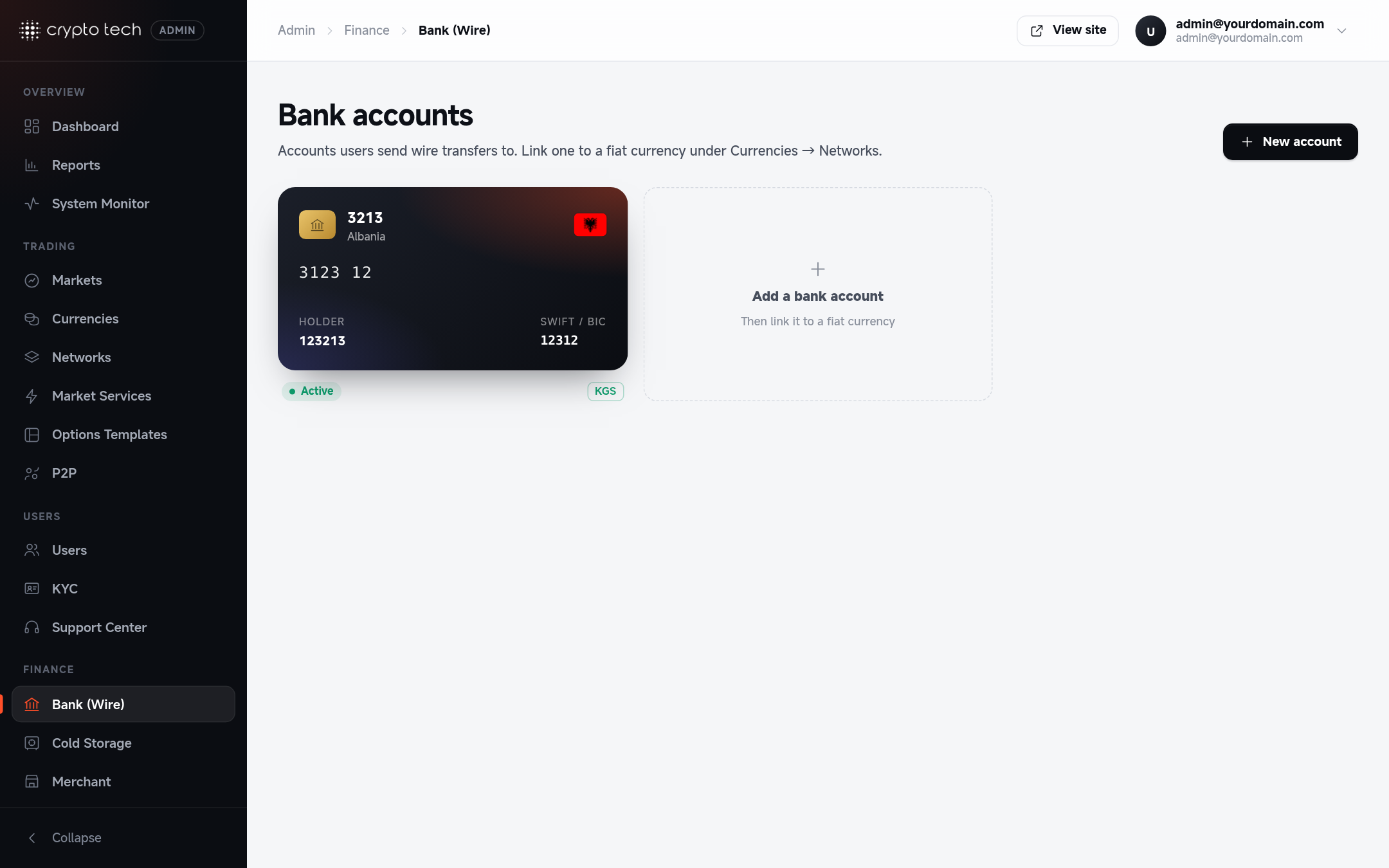
The list
Each account is shown as a card with the holder, SWIFT/BIC and the fiat currencies linked to it: Bank deposits on, or Linked, bank deposits off when the currency has bank deposits switched off.
Adding a bank account
| Field | What to enter |
|---|---|
| Bank name | For example Wise Europe SA |
| Country | The bank's country |
| Bank address | The bank's address |
| Account holder | Exactly as the bank has it, for example Company Ltd, so transfers aren't rejected |
| Holder address | The account holder's registered address |
| IBAN / account number | The form checks IBANs as you type and warns if one looks wrong |
| SWIFT / BIC | The form checks the format as you type |
| IFSC | Indian bank accounts only |
| Reference number | Optional. Shown to users with the details |
| Note to users | Extra instructions, for example "Put your account email in the payment description. Transfers take 1–3 business days." |
| Active | When on, the account is offered for wire deposits |
The What users see panel previews the instructions exactly as users will see them.
Linking it to a currency
A bank account does nothing until a fiat currency uses it: open the currency in Currencies, tick Bank transfers under Networks, and choose this account. Until then the account shows "No currency yet".
What happens next
Users send the transfer and report it on the fiat deposit page, with a receipt. You confirm it in Reports → Fiat deposits once the money arrives.