
Appearance
Dashboard
The first page you see after signing in: how the exchange is doing, and what's waiting for an admin.
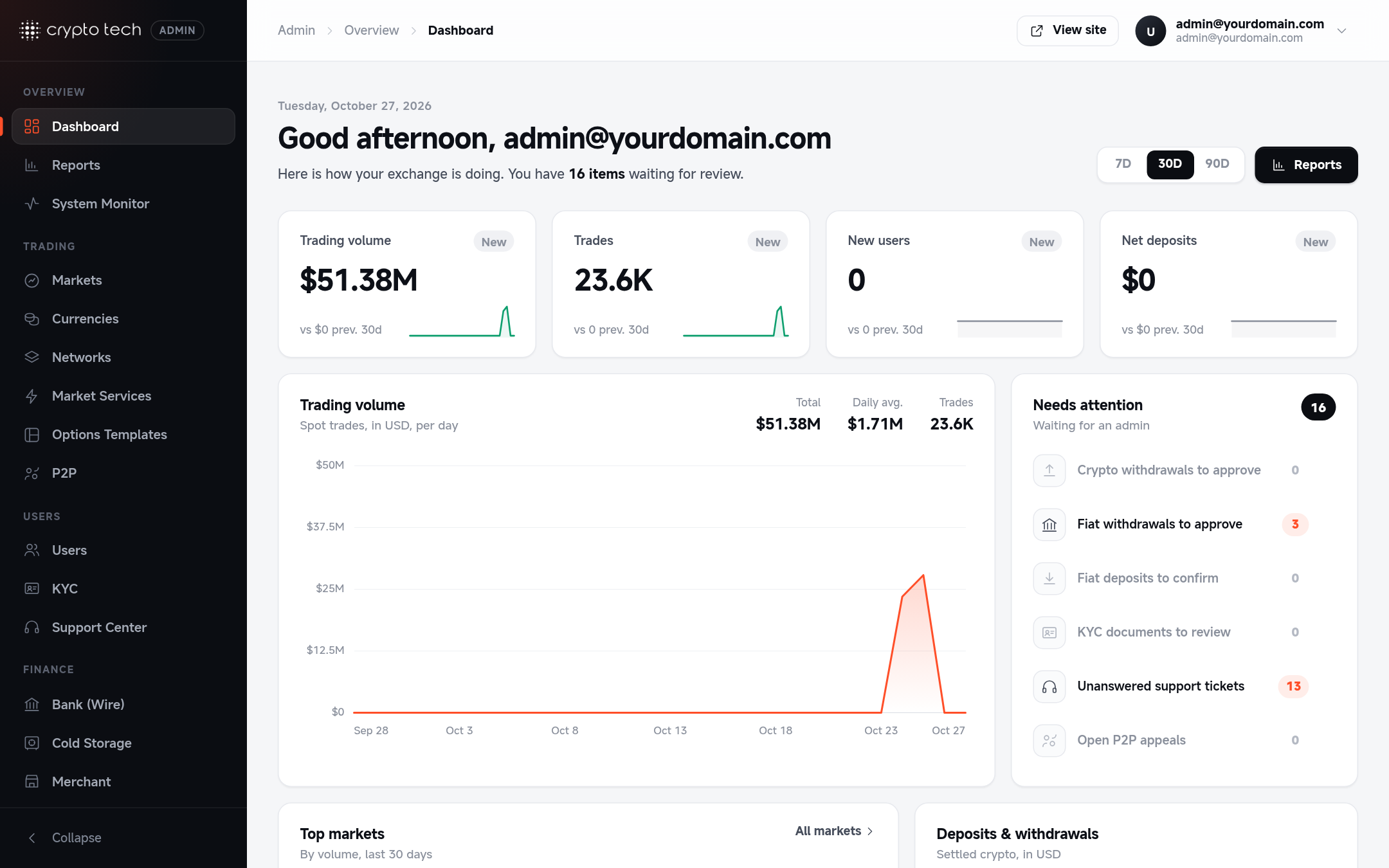
Choosing the period
Use the 7D / 30D / 90D switch at the top right. Every card and chart updates to that period and compares it with the period before (for example, the last 30 days against the 30 days before that). The Reports button next to it opens Reports.
The figures are recalculated at most every 5 minutes.
Key figures
| Card | What it shows |
|---|---|
| Trading volume | Total spot trading volume in USD |
| Trades | Number of executed spot trades |
| New users | Accounts registered |
| Net deposits | Crypto deposits minus crypto withdrawals, in USD |
Each card shows the change against the previous period and a small trend line. New means there was no data in the previous period to compare with.
Charts
- Trading volume: daily spot volume in USD, with the period total, daily average and number of trades. Hover the chart (or use the arrow keys) to read any day.
- Deposits & withdrawals: settled crypto per day in USD. Deposits are drawn above the line, withdrawals below it.
- New users: sign-ups per day.
Needs attention
Work waiting for an admin, with a count for each queue. Click a line to go straight to it:
| Line | Opens |
|---|---|
| Crypto withdrawals to approve | Reports → Crypto withdrawals |
| Fiat withdrawals to approve | Reports → Fiat withdrawals |
| Fiat deposits to confirm | Reports → Fiat deposits |
| KYC documents to review | KYC |
| Unanswered support tickets | Support Center |
| Open P2P appeals | P2P → Appeals |
The number in the card header is the total across all queues.
Lists and totals
- Top markets: your busiest markets by volume in the selected period. All markets opens Markets.
- Recent sign-ups: the newest accounts.
- Platform: all-time totals, including how many users have passed KYC.
- System health: the share of platform services online, from the System Monitor.
Bot volume
Volume includes trades from your market-making bots. With bots running, the dashboard shows activity even before you have real users.