
Appearance
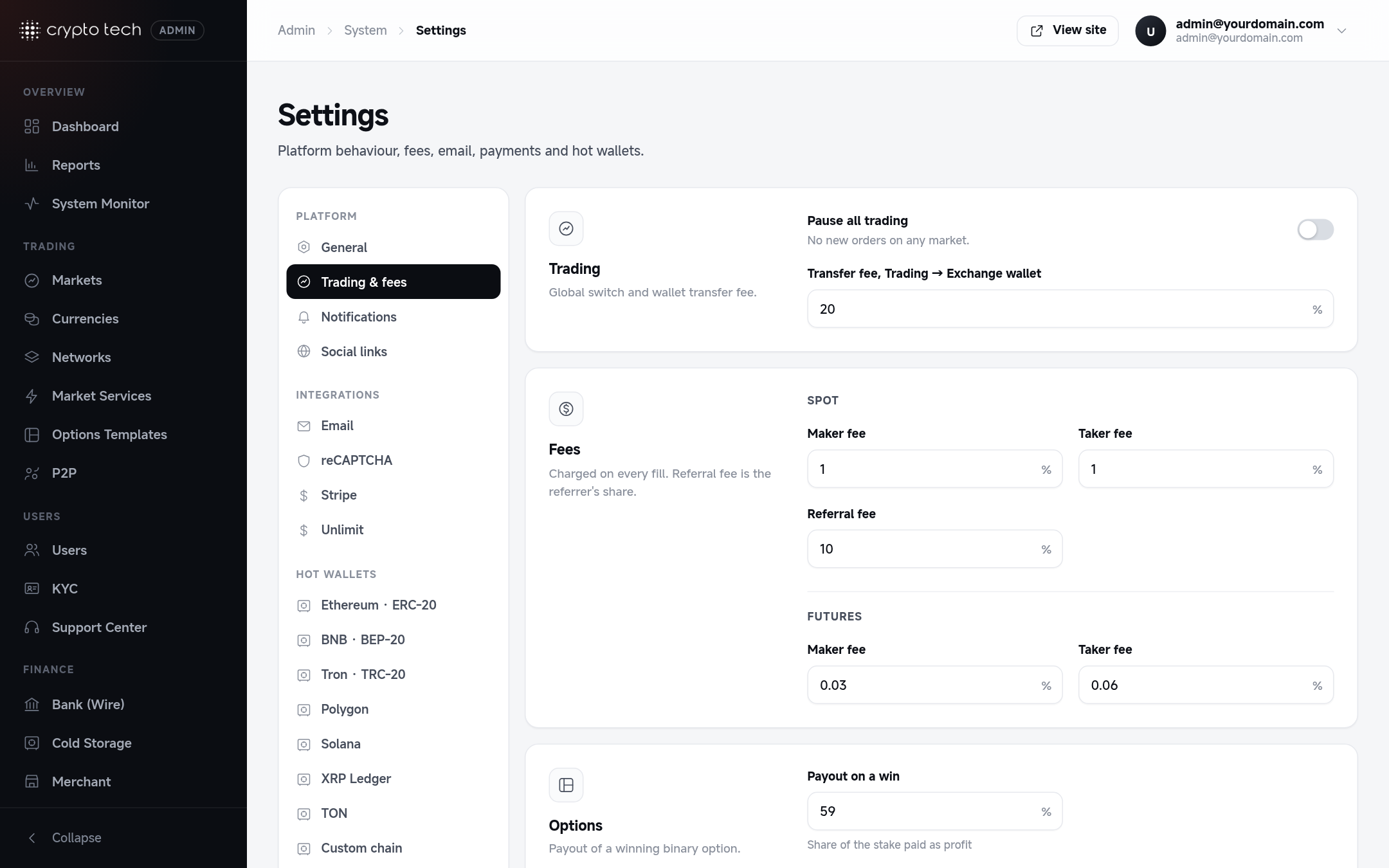
Trading & fees
How much you earn on every trade, the emergency stop for all markets, and how binary options pay out.
Trading
Pause all trading
An emergency stop. When it's on, no new orders are accepted on any market, for any user. Existing open orders stay in the book, and deposits, withdrawals and transfers keep working.
Use it during an incident (a price feed problem, a suspected exploit) while you investigate. To stop a single market instead, set that market to Halted in Admin → Markets.
Market order protection
The furthest a spot market order may fill from the last price, in percent (default 5). A market buy never pays more than last price + 5%, a market sell never sells below last price − 5%; whatever is left at that point is cancelled and returned to the user. It protects traders from filling against a thin or broken order book. 0 turns it off; the maximum is 50. When the market has never traded, the first fill's price is the reference. See Spot trading → How orders are matched.
Transfer fee, Trading → Exchange wallet
A percentage charged when a user moves funds from their Trading wallet to their Exchange wallet. 0 means transfers are free. Collected fees are listed in Reports → Wallet reports → Transfer fees.
Fees
Fees are percentages of each fill. A maker adds liquidity (a limit order that rests in the book). A taker removes it (a market order, or a limit order that fills straight away).
Spot and futures maker/taker fees are set per level in VIP levels: each user pays their level's rates. VIP 0 is the standard rate every new account pays. This section only keeps:
| Field | Meaning |
|---|
Example
With a taker fee of 0.1, a user who market-buys 1,000 USDT worth of BTC pays 1 USDT in fees.
Referral commissions (up to three network levels, by tier) are set in Referrals; the old Referral fee field was replaced by a link there. Commissions appear in Reports → Earn, referrals & bonuses.
Options
Payout on a win
The profit paid on a winning binary option, as a percentage of the stake. With 80, a winning 100 USDT option returns the 100 USDT stake plus 80 USDT profit. A losing option loses the stake.
How results are decided
Options settle by the market price at expiry. The box under the payout field confirms this ("Options settle by the market price").
If the box shows a red warning that results are forced to always win or always lose, a forced mode was set on a test installation. Click Settle by market price in the warning and save. Forced results are meant only for a local test environment or demo accounts. In the current code they apply to every account, including real users on a live installation (see Options templates), so always keep Settle by market price on a live exchange.