
Appearance
Staking
Staking products let users lock a coin for a fixed term and earn a reward. You choose the coin, the terms and the rate for each term.
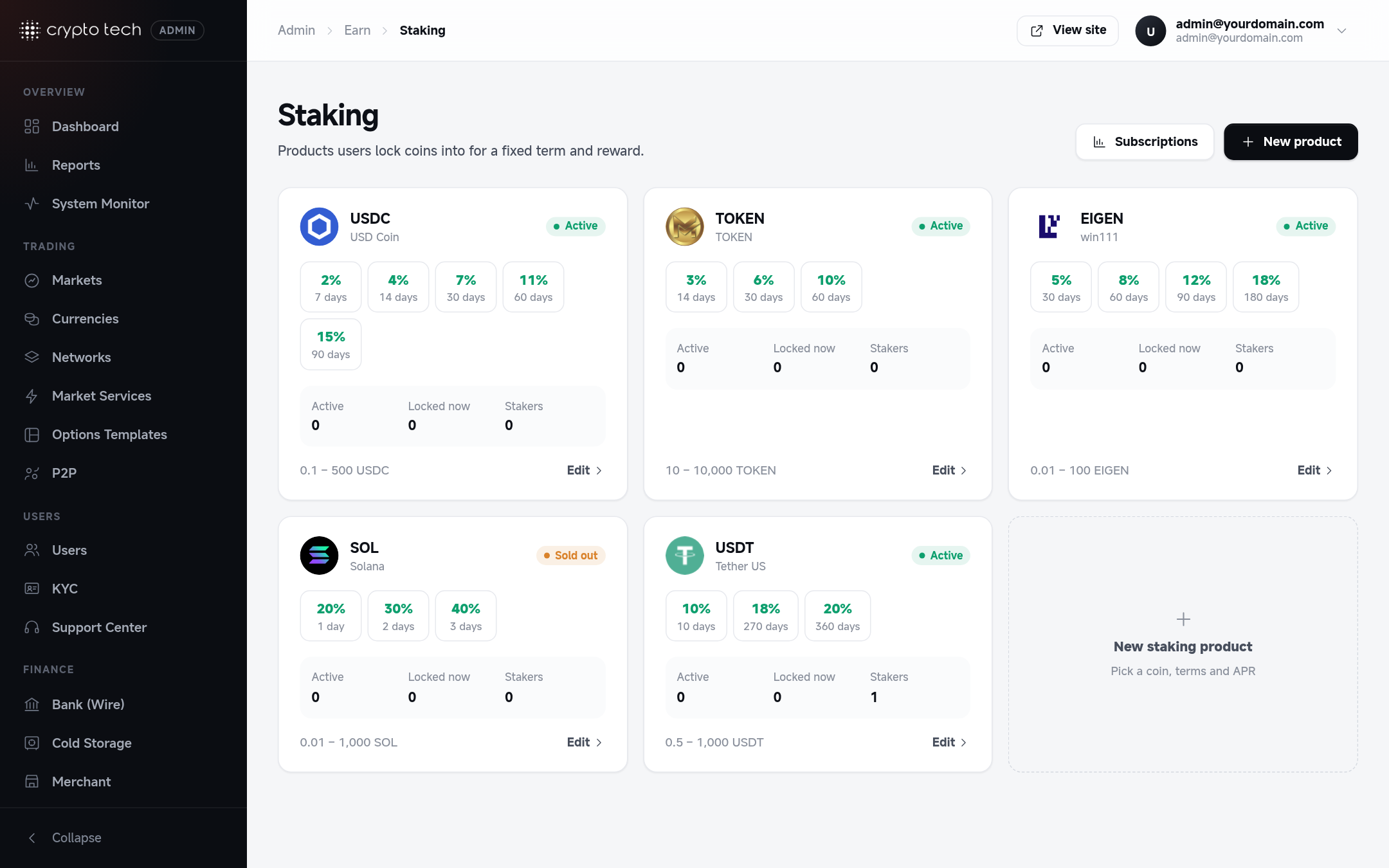
Creating a product
Click New staking product (pick a coin, terms and APR).
| Field | Meaning |
|---|---|
| Currency | What users stake and get rewarded in |
| Status | Whether the product is offered on the Staking page |
| Terms | Each term is a lock period in days with its rate. Add as many terms as you like, and remove one with Remove term. |
| Minimum / Maximum | Amount limits per subscription |
The Preview shows roughly how the product appears on the Staking page, including the best rate ("Up to …").
How rewards are paid
- Every night at 00:00 the reward for each active staking grows by one day's share.
- On the redemption date (checked at 23:30), the staked amount plus the accumulated reward goes back to the user's wallet, and the staking is completed.
- Early redemption: a user can redeem before the end date from My Staking. They get the principal only; the reward earned so far is forfeited (set to 0) and the staking is marked Redeemed. See Staking.
How the rate is applied
Each day adds amount × rate ÷ term days, so by the end of the term the user has earned the full rate, whatever the term length. A 30-day term at 12% pays 12% after 30 days, not 12% a year. Set each term's rate as the total you want to pay over that term.
| Example | Paid at the end of the term |
|---|---|
| 1,000 USDT, 30 days, rate 2 | 20 USDT reward (2% of 1,000) |
| 1,000 USDT, 90 days, rate 6 | 60 USDT reward (6% of 1,000) |
Deleting a product
Delete product removes it from the Staking page. Running subscriptions are not affected: they finish and pay out as normal.
Subscriptions and rewards are listed in Reports → Staking.