
Appearance
Support center
Tickets users send from the support page arrive here. Reply from the inbox, and the reply is emailed to the user.
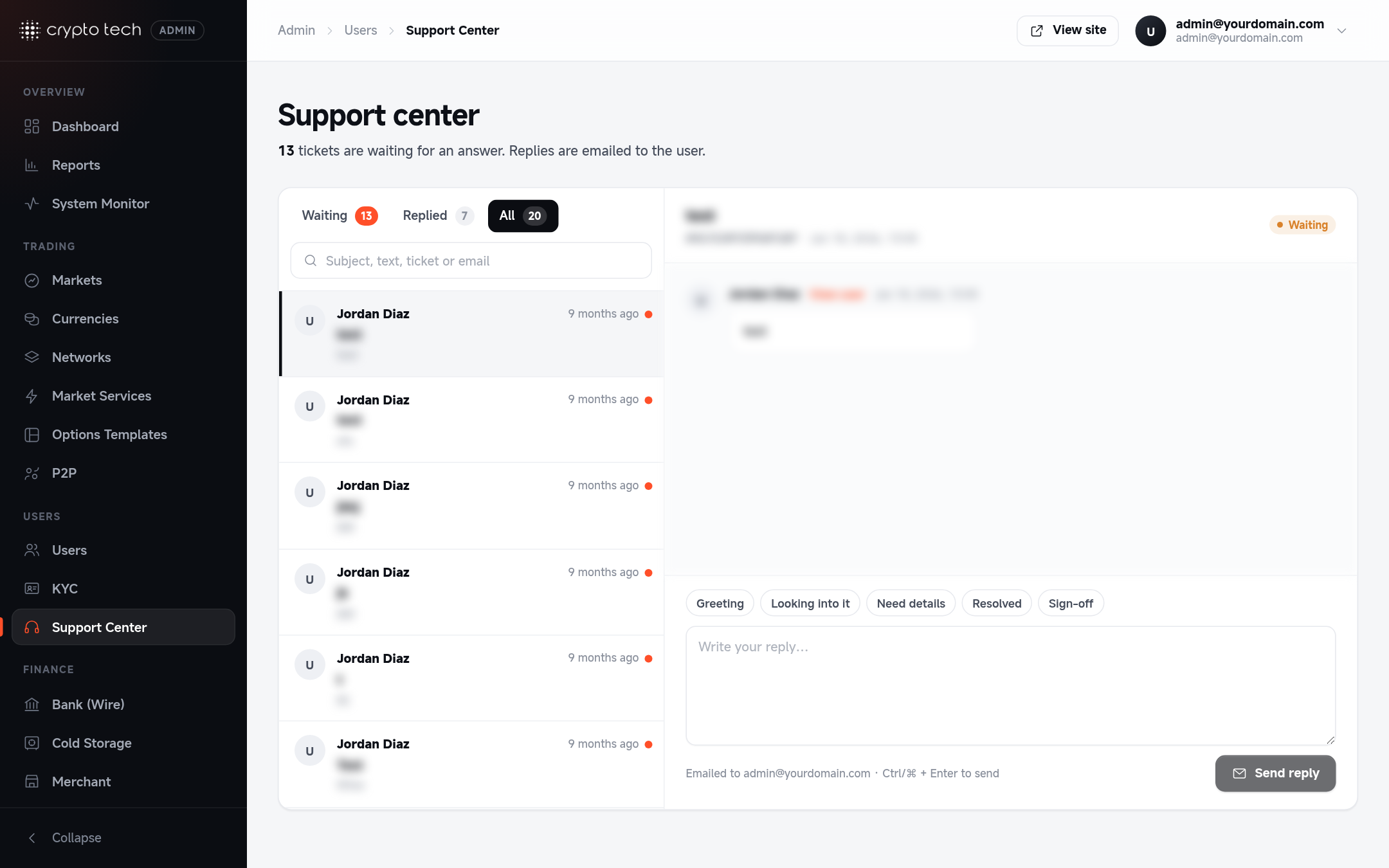
The inbox
Admin → Users → Support center has two panes:
- Left: the ticket list. Filter by status (Waiting for reply or replied) and search by subject, text, ticket number or email.
- Right: the selected ticket's message and your reply.
Unanswered tickets are counted on the Dashboard under Needs attention.
Replying
- Select a ticket.
- Write your reply. Quick replies insert ready-made text you can edit: Greeting, Looking into it, Need details, Resolved and Sign-off.
- Click Reply. The reply is emailed to the user (the address is shown as Emailed to), and the ticket counts as replied. Users of the mobile app also see the reply under Support Center → My requests, and get a push notification.
One reply per ticket
Each ticket stores one reply. Writing again replaces the saved reply and emails the user again, so include the full answer each time (the box says so when a ticket already has a reply).
Good practice
- Reply to Waiting for reply tickets at least once a day.
- Never ask users for their password or 2FA codes, and say so in your replies.
- For balance or withdrawal questions, check the user's activity shortcuts before answering.