
Appearance
Approving withdrawals & fiat deposits
Crypto withdrawals wait for an admin before any funds leave your hot wallet. Fiat deposits and withdrawals also need a person to confirm them. This page covers the daily review routine and what each button does to users' balances.
Find what's waiting
The Needs attention card on the Dashboard shows how many crypto withdrawals, fiat withdrawals and fiat deposits are waiting. Click a line to open the report. You can also go to Reports → Deposits & withdrawals.
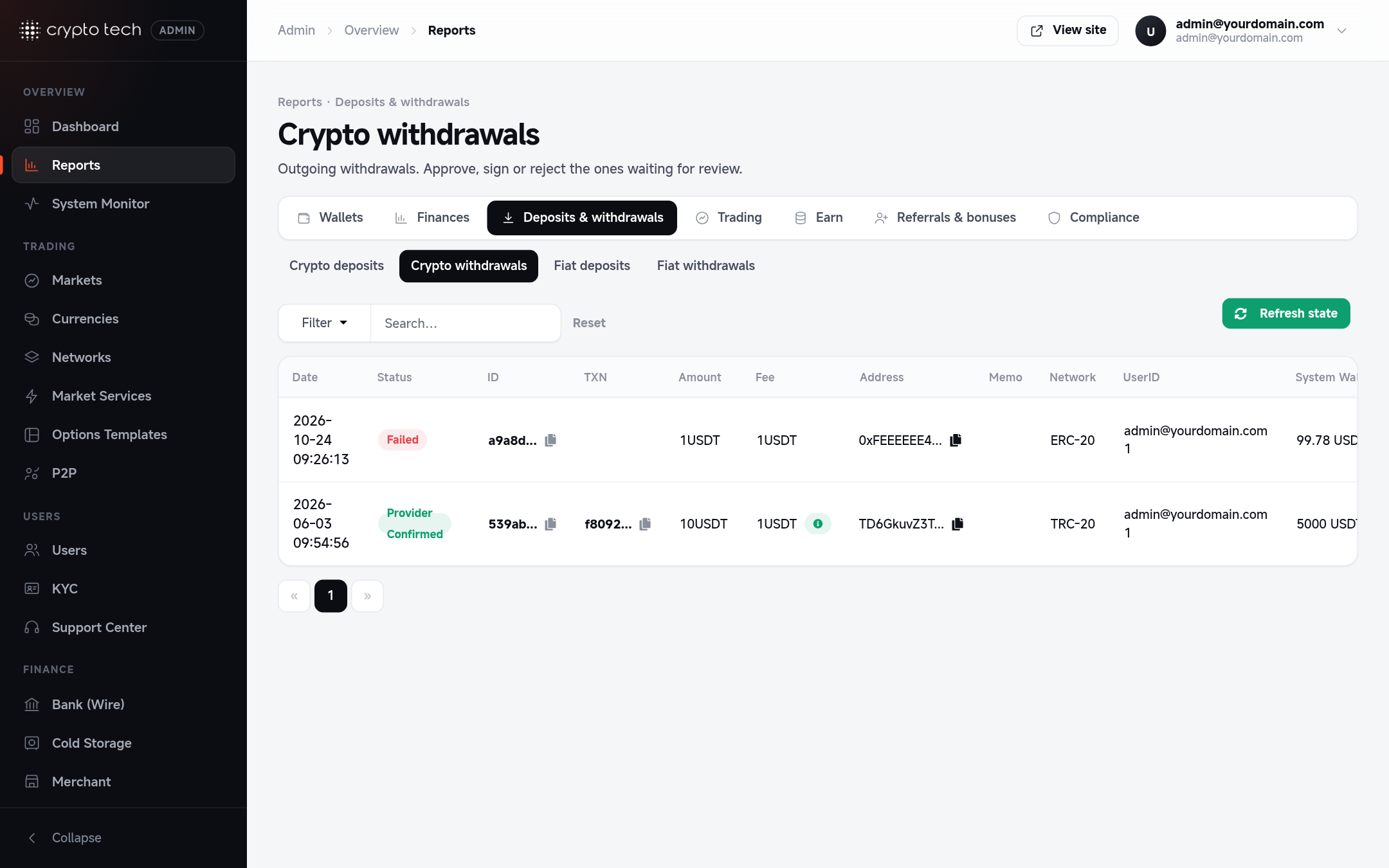
Review a crypto withdrawal
Each withdrawal row shows the user, amount, network, destination address (and memo, where the network uses one), status and the system wallet balance: what your hot wallet on that network currently holds.
Before you approve, check:
- The user: open their profile from the row. Look for recent deposits of that coin, unusual login activity, and KYC status.
- The address: paste it into a block explorer if the amount is large.
- The amount against what you expect for this user.
What you see in the Actions column:
| You see | Meaning |
|---|---|
| Approve and Reject | The withdrawal is waiting, and the hot wallet holds enough to pay it |
| Insufficient funds | The hot wallet balance is lower than the amount. Top up the hot wallet (see Hot wallets), then refresh |
| Inscribing / Sign | BRC-20 (Bitcoin token) withdrawals: wait until inscribing finishes, then Sign to send |
Approve
Click Approve and confirm. The platform sends the funds from the hot wallet through the network's bridge:
| Result | Status shown | What happens to the user's balance |
|---|---|---|
| Sent, transaction hash received | Confirmed by provider | The amount stays deducted. The TXN column links to the transaction |
| Sent, waiting for the network | Waiting provider approval | Stays deducted. It updates when the network confirms |
| Address belongs to another user on your exchange | Confirmed by provider | Transferred internally and credited to the other user straight away (no blockchain fee) |
| The bridge refused it (invalid address, node error) | Failed | The amount is returned to the user's wallet, and the error is saved as the reason |
| No clear answer (timeout, the bridge crashed) | Needs review | Stays held. Nothing is resent or refunded automatically: see below |
Approving is safe to click twice, and two admins can't send the same withdrawal: only the first approval sends it. Every amount is paid out or refunded exactly once, whatever the bridge or provider reports later.
Needs review
When the platform can't tell whether the coins left (the bridge timed out or crashed mid-way, or a bridge withdrawal still has no transaction 2 hours after it was sent, reason no_bridge_result), the withdrawal shows Needs review with the error in its tooltip, and the user's amount stays held. Check your hot wallet on the block explorer:
- It went out: click Mark as sent and paste the transaction hash. The held amount is released and the user is emailed.
- It didn't: click Refund and enter a reason. The amount goes back to the user's wallet.
The system log records each one as critical (Withdrawal needs review). If the bridge writes the transaction later anyway, the withdrawal is paid out by itself; after you refunded it, a late transaction changes nothing (so check the explorer before refunding).
Paid outside the platform (manual withdrawal)
If you sent the funds yourself, for example from a cold wallet, tick Manual Withdrawal? in the approval dialog and paste the transaction hash. The withdrawal is marked Confirmed by provider with your hash, the held amount is released, and the user is emailed a confirmation.
Reject
Click Reject, enter a reason the user will see, and confirm. The withdrawal is marked Rejected, the amount is returned to the user's wallet, and the user gets an email with your reason.
Automatic approval (optional)
To approve withdrawals without a person, set in .env:
ini
ENABLE_AUTO_WITHDRAWALS=trueEvery 2 minutes the scheduler then approves up to 5 waiting crypto withdrawals, only when the hot wallet holds enough for each one. Everything else works as if you had clicked Approve.
Use automatic approval with care
Automatic approval skips your review entirely. Use it only with daily withdrawal limits set (see General settings), small hot wallet balances, and cold storage rules moving everything else away.
Confirm fiat deposits
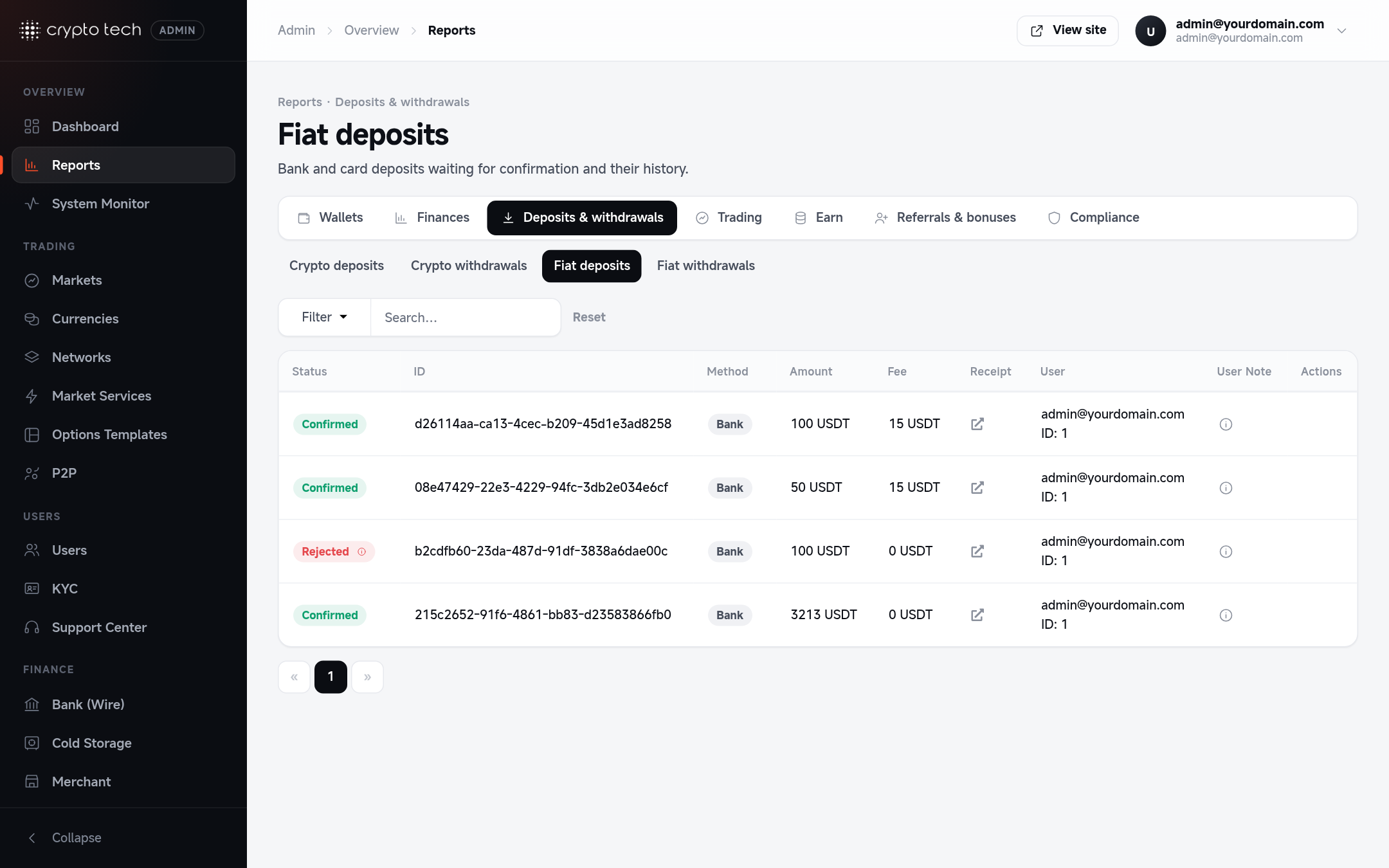
When a user reports a bank transfer or card payment, it appears in Reports → Fiat deposits as Pending. Each row shows the user, amount, fee, payment method, the user's note and the receipt they uploaded (click the icon to view it).
- Check that the money has arrived in your bank account and matches the receipt.
- Click Approve: the deposit becomes Confirmed, the user is credited the amount minus the fee, and they get a "deposit received" email.
- Or click Reject if the payment never arrived.
Pay fiat withdrawals
Reports → Fiat withdrawals lists withdrawal requests with the amount, fee, amount plus fee, and the user's payout details.
How Approve works depends on the method:
| Method | When you click Approve |
|---|---|
| Bank transfer | You send the transfer from your bank first. Approve then marks it Confirmed |
| Payeer, Perfect Money | The payout is sent automatically through the provider's API. If the provider refuses it (for example a wrong account number), the withdrawal is rejected and the amount returned to the user |
In the approval dialog you can add an optional note, such as your bank reference code. It is saved with the withdrawal and included in the confirmation email to the user.
Reject asks for a reason, returns the amount to the user's wallet and emails them the reason.
Crypto deposit problems
Reports → Crypto deposits lists every incoming deposit with its confirmations and status.
- A user says a deposit never arrived: click Missing deposit?, paste the user's deposit address, and run the check. The address is re-scanned on its network and any new transfers are credited. It takes a few seconds.
- A deposit didn't move to the hot wallet (the Hot Wallet column shows failed): click Retry to queue the transfer again. Check the hot wallet has enough of the network's coin to pay the fee.