
Appearance
Launchpads
A launchpad is a token sale: users buy a new token with a network coin, at a fixed rate, during a scheduled window, until the hard cap is reached.
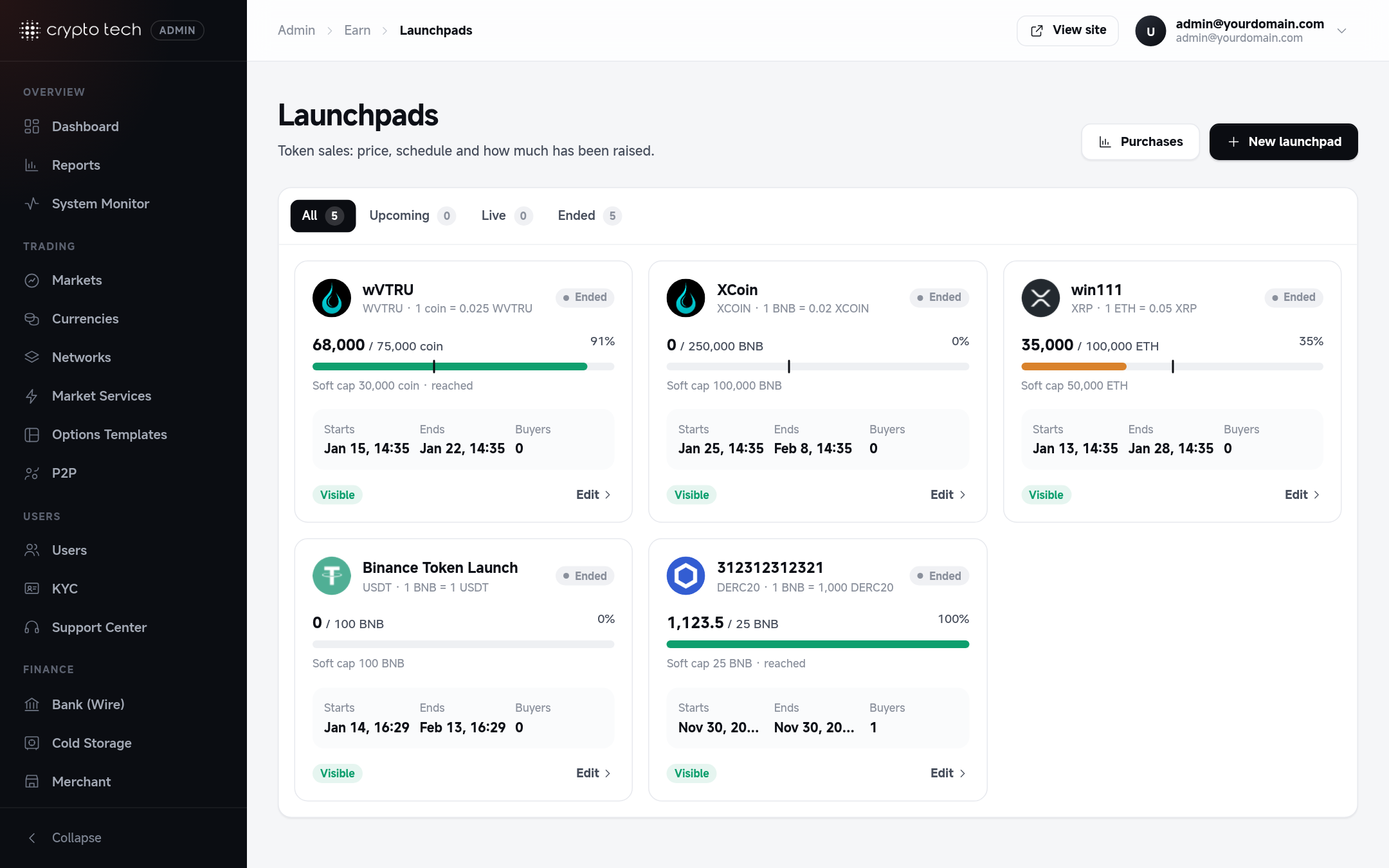
The list
Each sale is shown as a card with its progress bar: how much has been raised against the hard cap, with a marker for the soft cap. Filter by stage: upcoming, open or closed.
Creating a sale
The token must exist in Currencies first.
Project
| Field | Meaning |
|---|---|
| Sale name | For example XCoin public sale |
| Token | The token being sold |
| Description | Shown on the launchpad page: what the project does, token utility, vesting… |
Price & payment
| Field | Meaning |
|---|---|
| Paid with / Payment network | Buyers pay in the network's coin: ETH or BNB |
| Rate | Tokens a buyer gets for 1 unit of the payment coin |
Schedule
Starts and Ends, in UTC.
Caps & limits
| Field | Meaning |
|---|---|
| Soft cap | The minimum you aim to raise |
| Hard cap | The sale stops automatically when it's reached |
| Min purchase / Max purchase | Per purchase |
Publishing
Visible: listed on the Launchpad page.
What happens automatically
Every minute the platform checks each visible sale:
- At the start time it opens (users can buy).
- At the end time, or as soon as the hard cap is reached, it closes.
When a user buys, the payment coin is taken from their wallet straight away and the purchase is recorded.
Delivering tokens to buyers
Tokens are not credited automatically
A purchase takes the buyer's payment, but the bought tokens aren't credited when the user buys. Release them when the sale ends (or when your vesting terms say so).
Release with one command. On the server, run it with the launchpad's ID (shown in its address in the admin panel):
bash
php artisan launchpad:claim-release 3For every purchase not yet credited, it adds amount paid × rate of the token to the buyer's Funding Account, and marks the purchase as credited, so running it twice never pays twice. It prints how many purchases were processed, skipped or failed. A buyer without a wallet for the token is skipped with a warning in the log. Run it again after the wallet exists.
Or credit by hand: list the purchases in Reports → Launchpads, and credit amount paid × rate to each buyer from Reports → User wallets, with a note such as "XCoin launchpad allocation". Don't mix both methods for the same sale: the command doesn't know about manual credits.
Soft cap
The soft cap is only shown on the sale page. If a sale ends below it, nothing happens automatically: refund buyers yourself, or release the tokens anyway.
Deleting a sale
Delete launchpad removes the sale from the site. Purchases stay in the reports.