
Appearance
System monitor
A live health check of everything the exchange depends on: web server, database, queues, websockets, price feeds, blockchain nodes and integrations. It can email you when something goes offline.
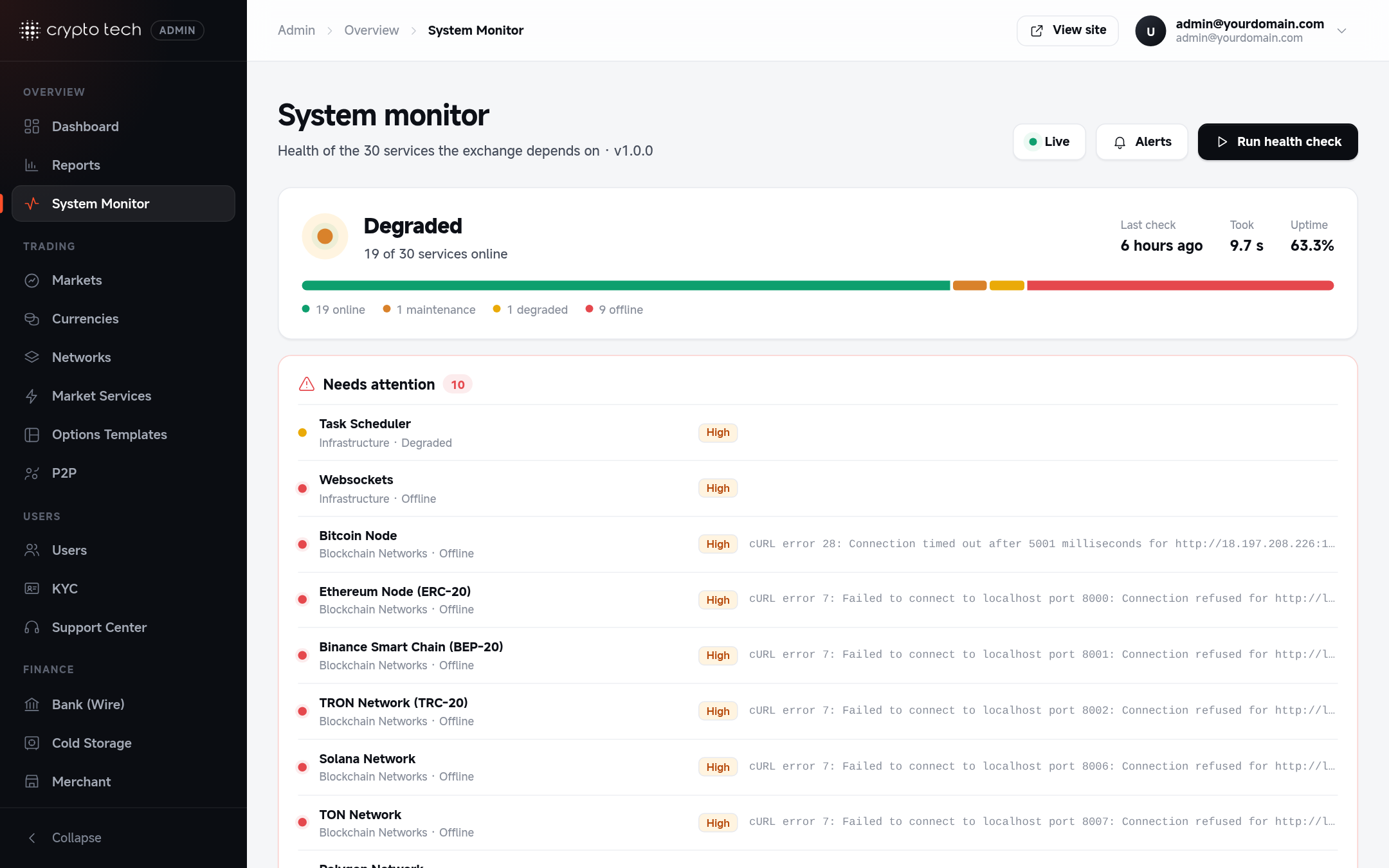
Reading the page
The summary at the top counts services online, in maintenance, degraded and offline, and the Dashboard shows the overall percentage online. Services that need attention are listed first, with their error message. Filter the list by category.
Checks run every 5 minutes in the background. While a check is running, its card shows Checking.
What's checked
| Area | Services |
|---|---|
| Core | Web Server, Database Connection, Redis Server, Website Access, Encryption Module, Cache Service, API Gateway, Artisan Commands |
| Background | Job Queue Processor, Task Scheduler, Websockets |
| Market data | Price Feed Service, Market Data Service, Liquidity Provider (every market with liquidity on had a book update in the last 2 minutes), Background Workers (no service stopped or stuck; see Market services) |
| Blockchains | Bitcoin Node, Ethereum Node (ERC-20), Binance Smart Chain (BEP-20), TRON Network (TRC-20), Solana Network, Ripple (XRP) Network, TON Network, Polygon Network |
| Integrations | Fireblocks Custody, Stripe Payment Gateway, KYC Verification |
| Security & delivery | Two-Factor Authentication, Rate Limiter, Email Service, Push Notifications, Webhook Delivery |
A blockchain or integration you don't use may show as offline. That's expected.
Email Service connects to the mail server and logs in, without sending anything. It shows degraded when MAIL_MAILER=log (emails are written to the log, not delivered). API mailers (SES, Mailgun, Postmark) count as online when configured; a failed email shows up in the failed jobs.
Alert emails that wait in the queue for more than 15 minutes (for example while the queue was down) are dropped instead of being sent late, so a recovered queue never sends a burst of old alerts.
Email alerts
Click Set up alerts:
| Field | Meaning |
|---|---|
| Send alert emails | Email the team when a service goes offline after a health check. Alerts go to the admin email from Settings → Notifications. |
| Wait between emails | 5 to 1440 minutes, so an outage doesn't flood the inbox |
The dialog also shows when the last alert was sent.
When a service is offline
| Service | First things to check |
|---|---|
| Job Queue Processor | pm2w status: is horizon online? See Market services |
| Task Scheduler | The cron entry for www-data (see Installation) |
| Websockets | pm2w status: is soket online? Nginx proxy for the socket subdomain |
| A blockchain node | The bridge process for that network (pm2w logs bridge-…) |
| Email Service | Email settings |
Error messages are shortened and masked on this page, so passwords and keys never appear here.